 Saraswathy← Back to work
UI/UX Case Study
Virtual Try-On for Accessories
Meesho Feature Add-On
A new feature that lets Meesho shoppers preview necklaces and accessories on themselves in real time — turning guesswork into confident, faster purchase decisions.
- Role
- UI/UX Designer
- Platform
- Meesho Mobile App
- Category
- E-commerce · Fashion · AR
- Type
- New feature add-on
Problem Statement
Online shoppers often hesitate before buying fashion items and accessories because they can’t clearly imagine how a product will look on them. For accessories like necklaces, earrings, and makeup, product images alone aren’t enough — users want to know whether an item matches their face, outfit, skin tone, and personal style.
This leads to
- Low purchase confidence
- Higher product returns
- More abandoned carts
- Poor customer satisfaction
- Difficulty choosing between similar products
Design Challenge
How might we help Meesho shoppers visually try accessories before buying, so they can make faster and more confident purchase decisions?
Proposed Solution
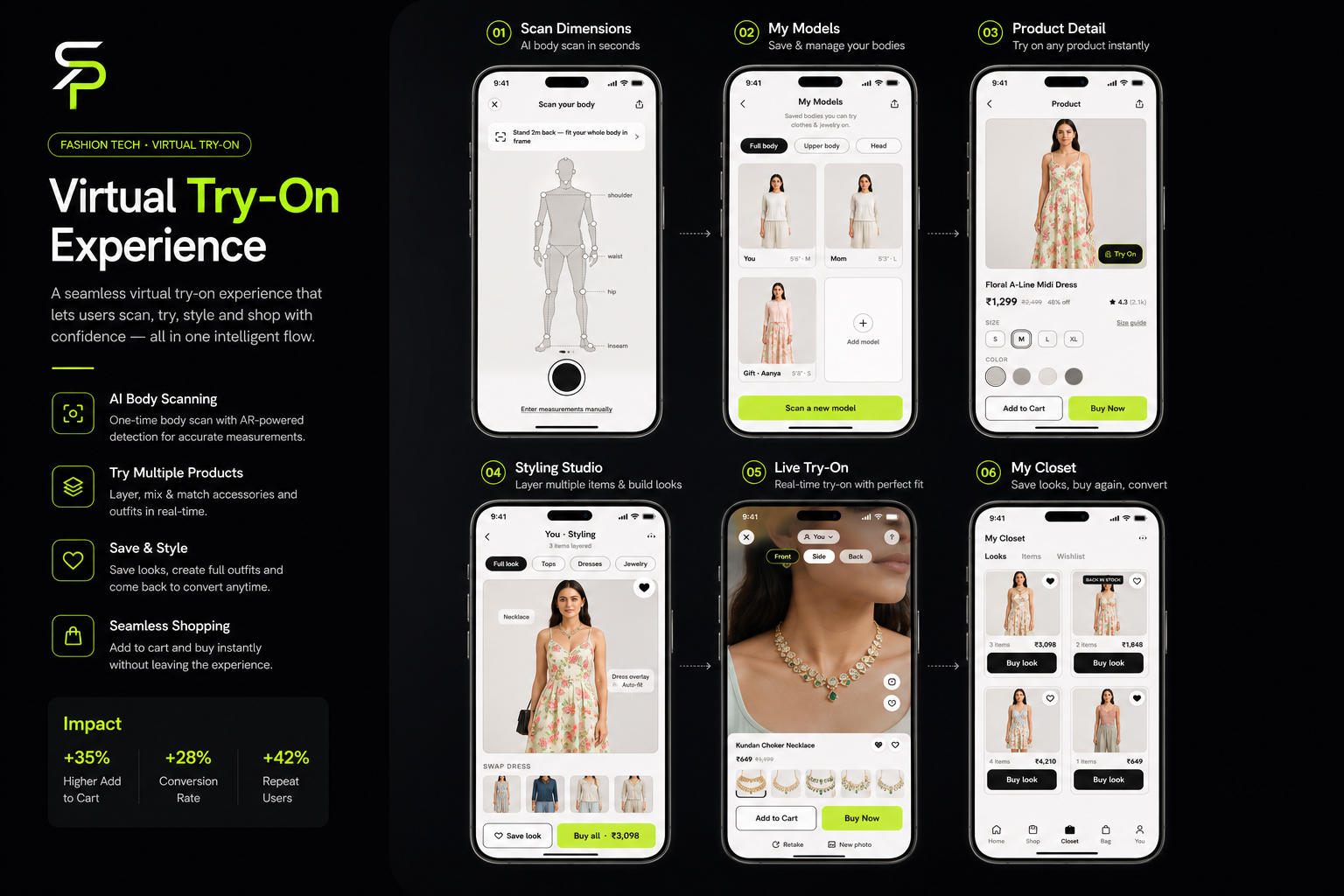
Add a Virtual Try-On feature inside Meesho product pages. Users either upload a photo or use their camera to see how a necklace looks on them in real time. The selected necklace auto-adjusts to the user’s neckline and can be swapped instantly without re-uploading — making accessory shopping more visual, interactive, and trustworthy.
User Story
As a shopper browsing Meesho,
I want to see how a necklace looks on me before buying,
so that I can confidently decide if it suits my style and complements my outfit.
Target Users
- Women shopping for necklaces, earrings, and jewelry
- Users buying accessories for events, weddings, or daily wear
- Budget-conscious shoppers comparing multiple designs
- First-time buyers who need more confidence before purchasing
Research Insights
Key Requirements
Functional
- Access Virtual Try-On from the product detail page
- Upload a photo or use the live camera
- Necklace adjusts to the user’s neckline position
- Switch between multiple designs in real time
- Add to cart or buy directly from the try-on screen
- Retake or replace the image
- View product price and rating while trying it on
Non-functional
- Feels lightweight and fast
- Simple for non-technical users
- Clear camera-permission flow
- Doesn’t disturb the normal buying flow
- Matches Meesho’s existing visual style
User Flow
- 1Open the Meesho app→
- 2Search or browse for a necklace→
- 3Open the product detail page→
- 4Tap “Try On”→
- 5Choose Use Camera or Upload Photo→
- 6Necklace appears on the user’s neckline→
- 7Switch between designs to compare→
- 8Confirm the preferred product→
- 9Tap Add to Cart or Buy Now
Screen Breakdown
Product Detail Page
Introduce Try-On without disturbing the existing shopping flow.
- Product image, name, price, rating
- Size / style details
- Highlighted “Try On” button near the image
- Add to Cart · Buy Now
Try-On Entry Screen
Let users choose how they want to try the product.
- Use Camera
- Upload Photo
- Supporting copy: “Try this necklace on yourself before buying.”
- Clear privacy note about camera access
Live Try-On Screen
Show the necklace on the user in real time.
- Camera / photo preview area
- Necklace AR overlay
- Product carousel at the bottom
- Sticky Add to Cart · Buy Now
- Retake / Change photo
Product Switching Panel
Compare multiple designs quickly without leaving the screen.
- Horizontal product thumbnails
- Selected-product highlight
- Live price display + instant preview update
- Wishlist icon
Error / Adjustment Screen
Guide users when the photo or angle isn’t suitable.
- “Keep your face and neckline clearly visible.”
- “Move closer for a better fit.”
- “Try using a brighter image.”
- Retake · Upload another · Continue without Try-On
Screen Designs
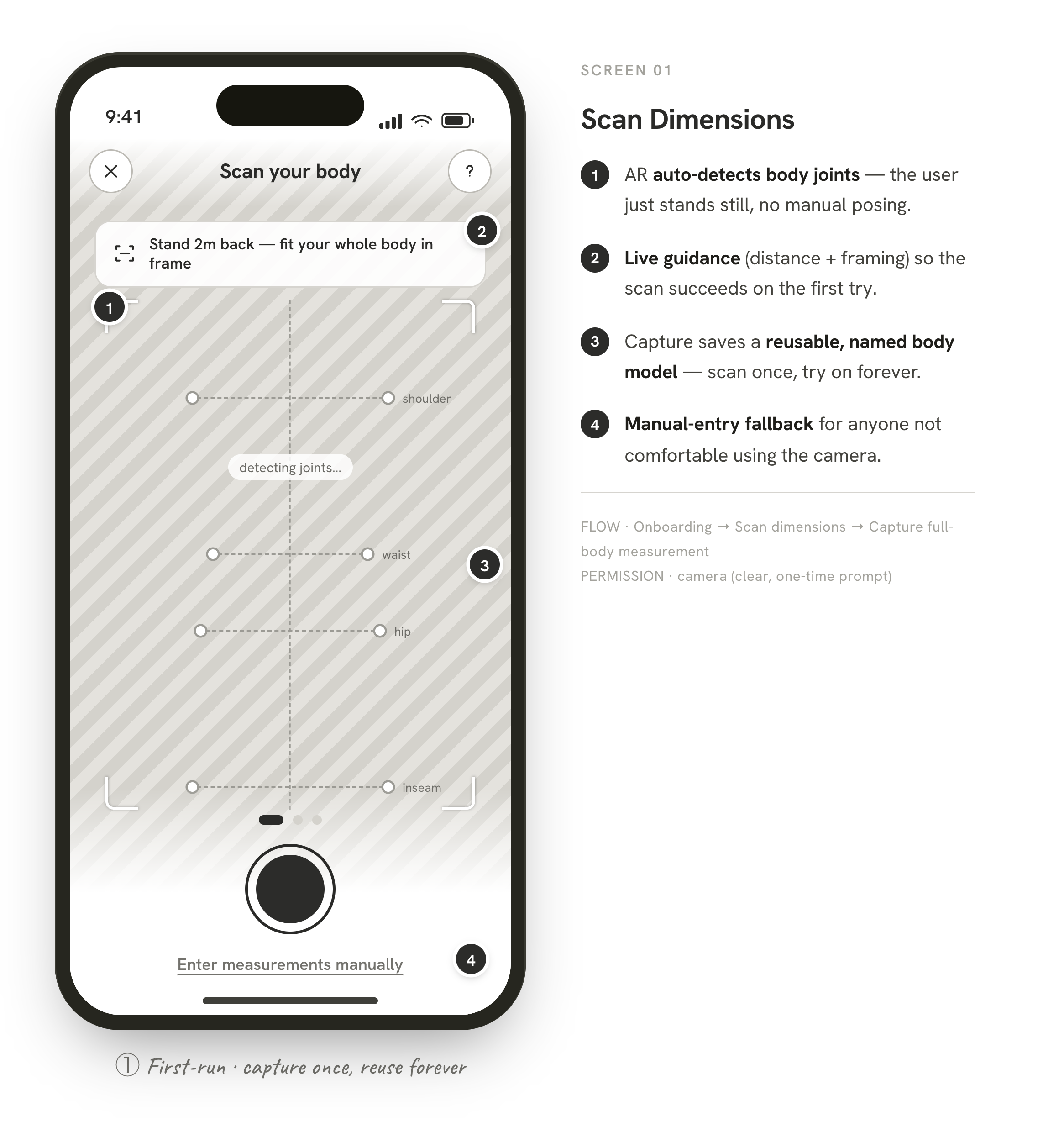
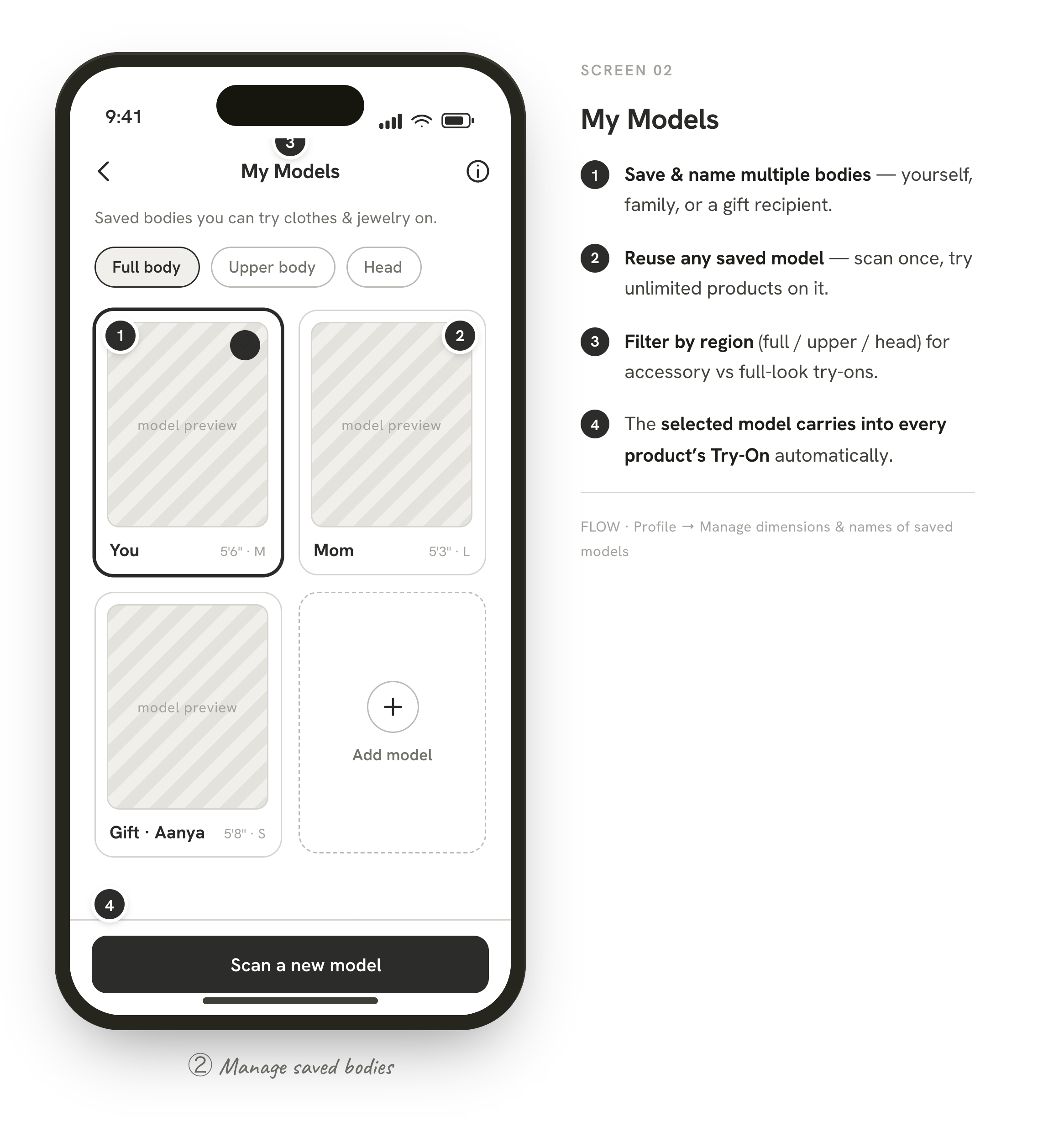
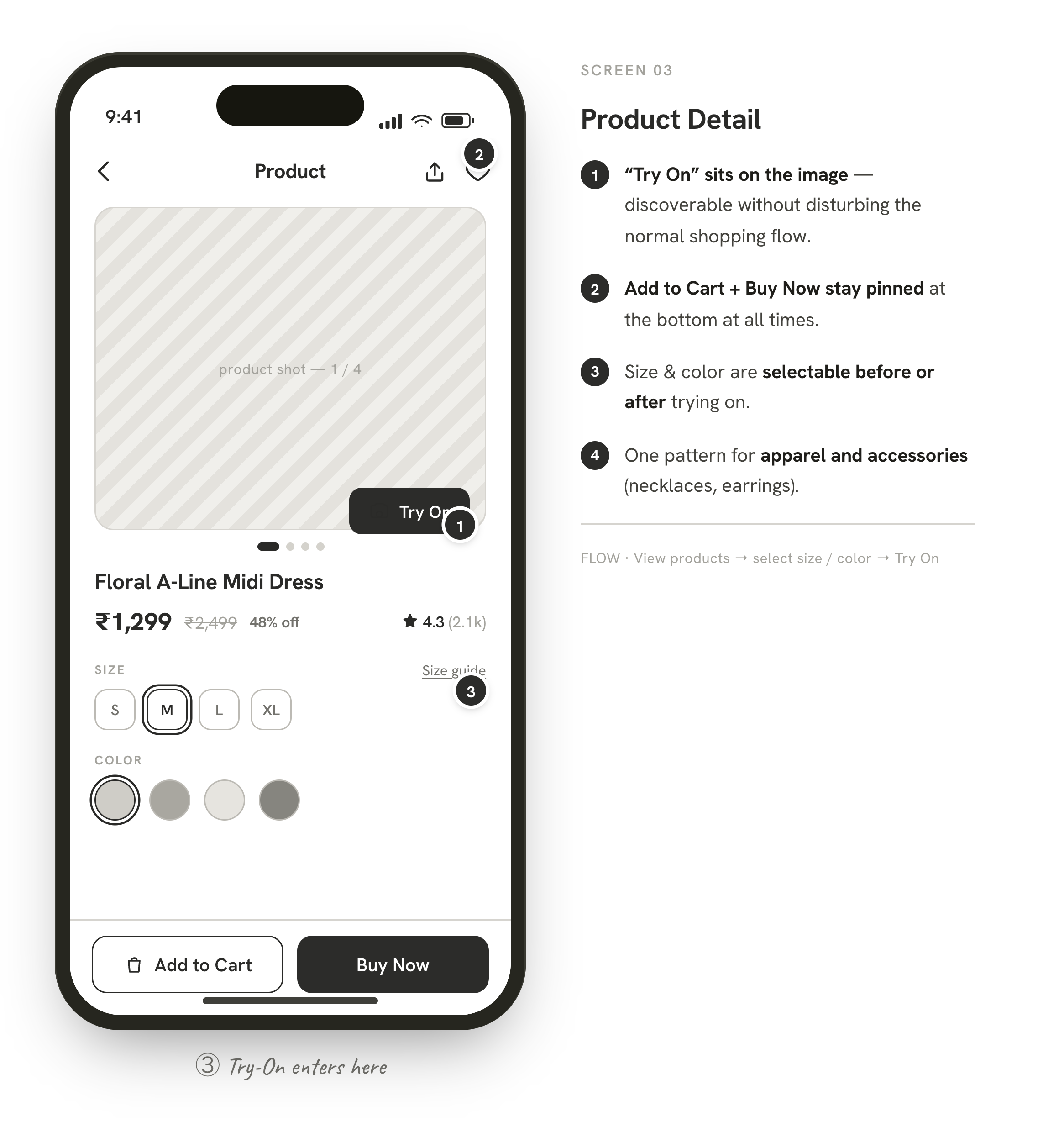
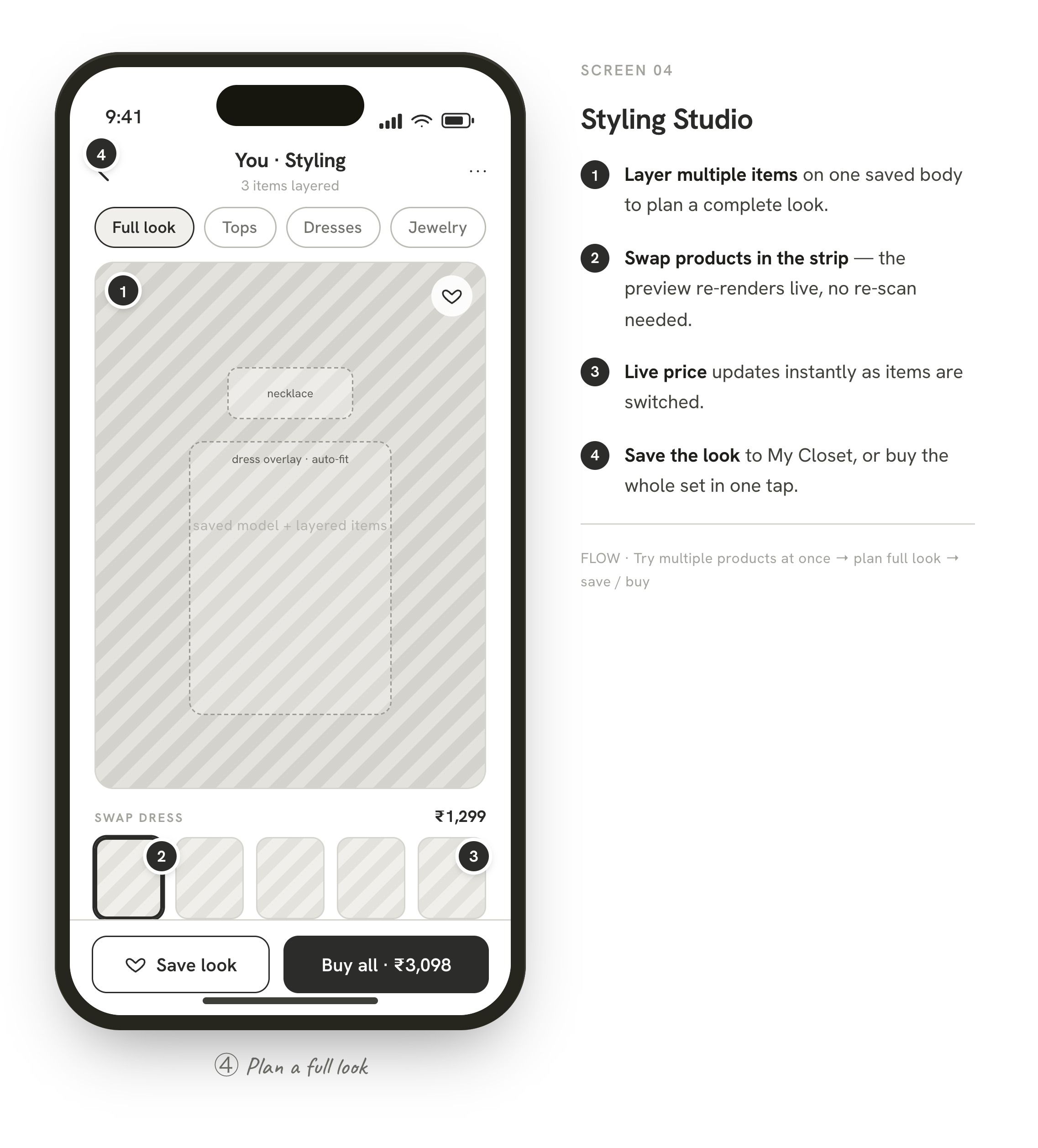
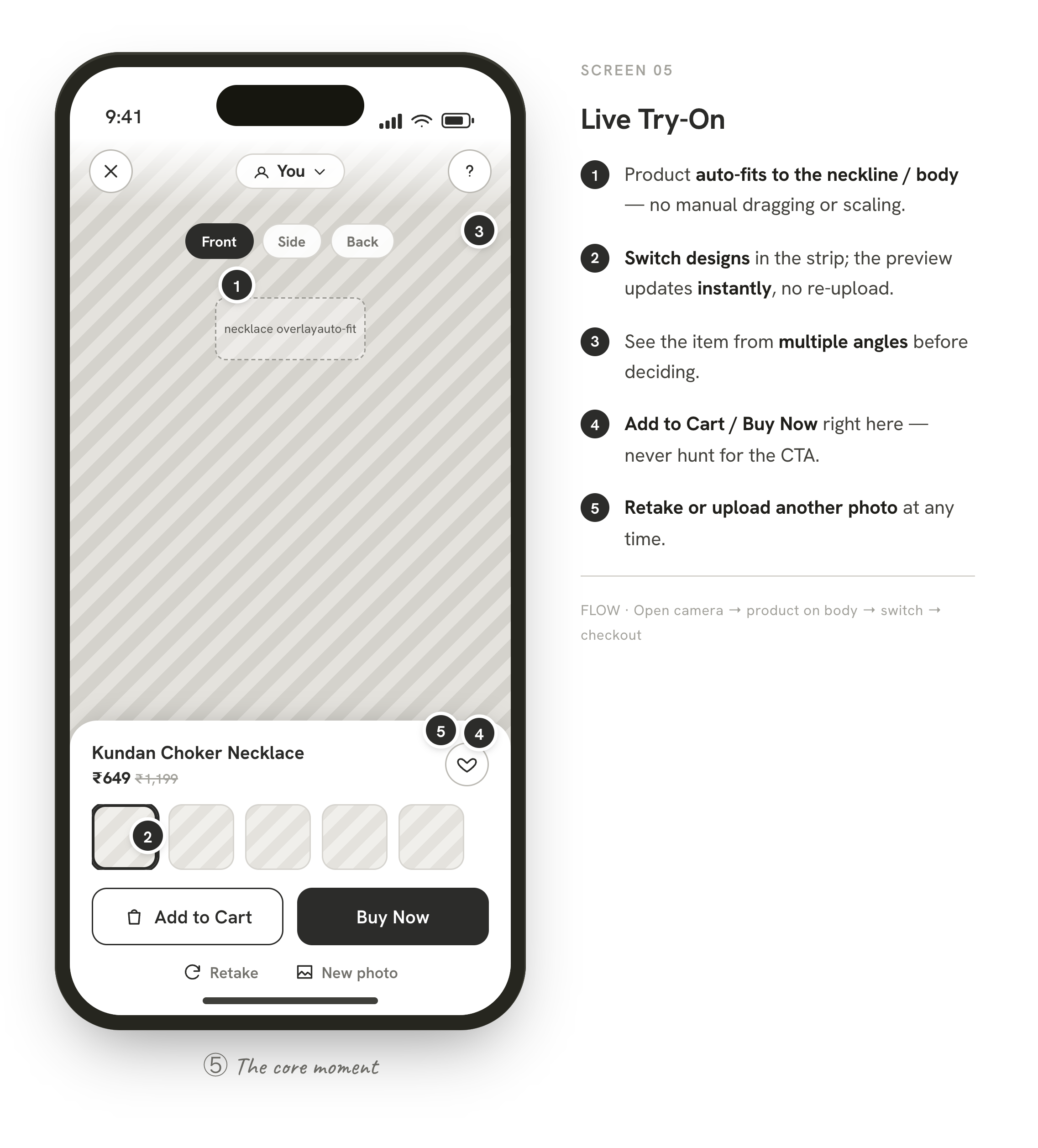
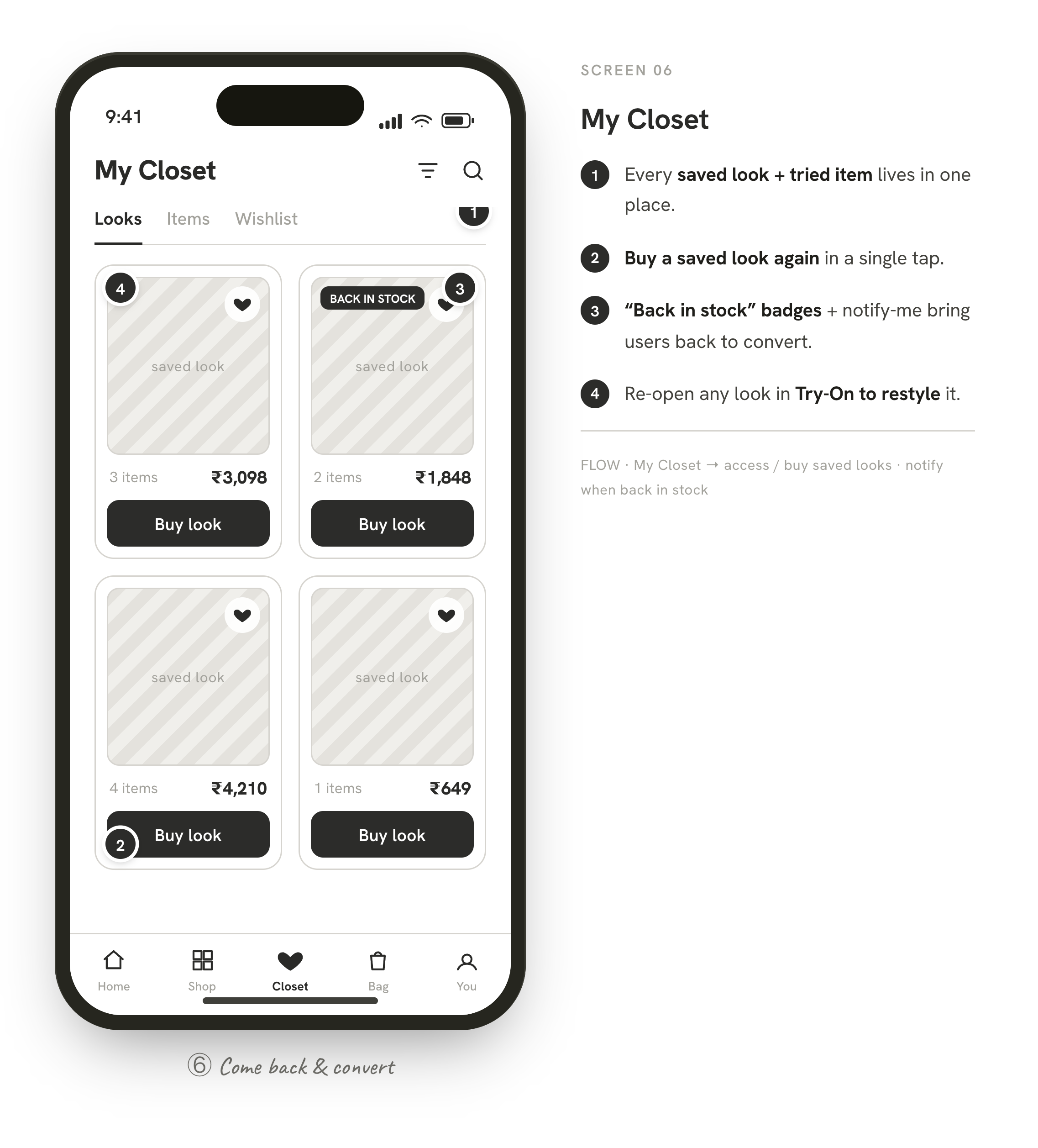
Key UX Decisions
Photo upload + camera option
Not every user is comfortable using the camera. Offering both increases trust and accessibility.
Real-time product switching
Users compare multiple designs; switching without re-uploading removes friction.
Sticky buy buttons
Once users see the necklace on themselves, they can buy immediately without hunting for the CTA.
Auto size & position
Manual adjustment confuses users; auto-fit makes the experience feel smarter and effortless.
Clear privacy messaging
Because the feature uses camera/photo input, transparent privacy copy builds trust.
Acceptance Criteria
- ✓Users can upload a photo
- ✓Users can use the camera
- ✓Necklace adjusts to the neckline
- ✓Users can switch designs in real time
- ✓Add to Cart is always accessible
- ✓Buy Now is always accessible
- ✓Users can retake or replace the image
- ✓Error guidance shows when detection fails
Expected Impact
Business
- — Higher conversion rate
- — Reduced return rate
- — Increased user confidence
- — Better product engagement
- — More time spent on product pages
User Experience
- — Easier decision-making
- — More confidence before buying
- — Better product comparison
- — More enjoyable shopping
- — Reduced purchase regret
Success Metrics
- Try-On usage rate
- Add-to-Cart rate after try-on
- Buy Now clicks after try-on
- Conversion rate for try-on users
- Return rate for accessories
- Time on product detail page
- Product-switching interactions
- User satisfaction feedback
Final Outcome
The Virtual Try-On feature makes online accessory shopping more interactive and reliable. Instead of guessing how a necklace might look, users preview it directly on themselves, compare multiple styles, and act with confidence — combining visual trust, faster comparison, and direct purchase in one simple flow.